Payment Link Creation
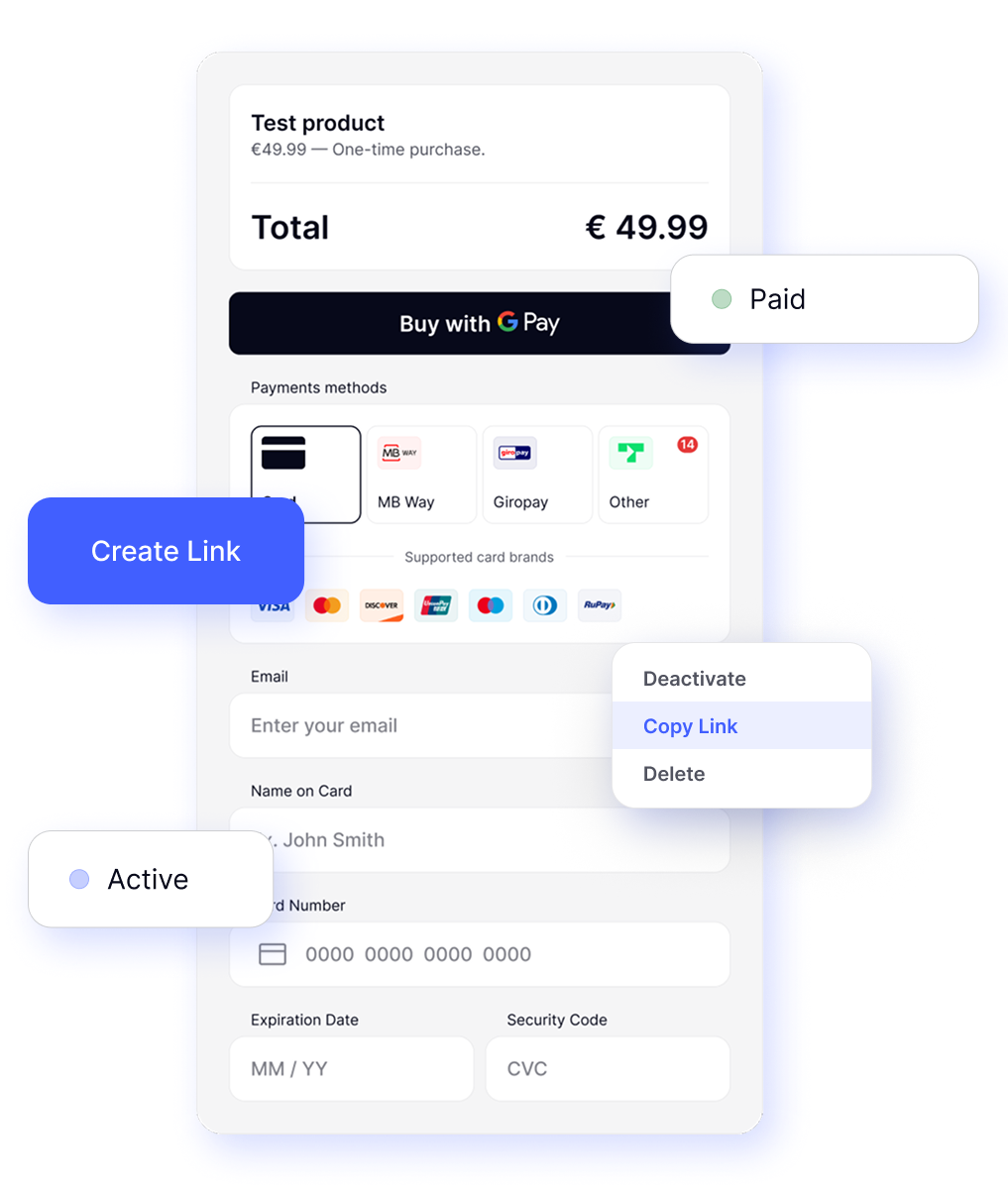
The merchant can create customisable payment links via the back office so that their customers can make secure payments without integrating a payment page.
Merchants generate a one-off payment URL by filling in key details and viewing a live preview before confirming
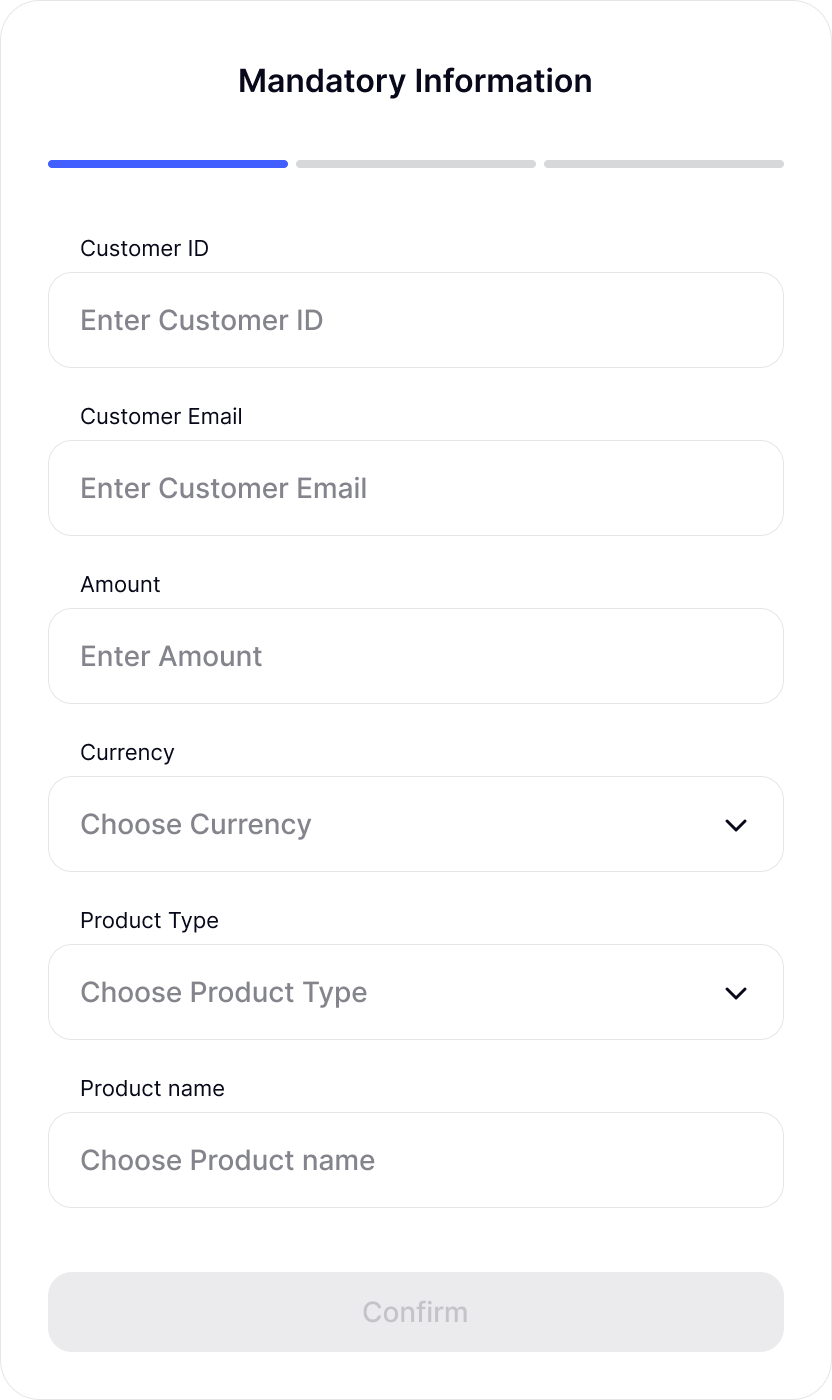
Mandatory Fields
- Customer ID & Email
- Amount, Currency, Product Type, Product Name
- Success Redirect URL & Failure Redirect URL
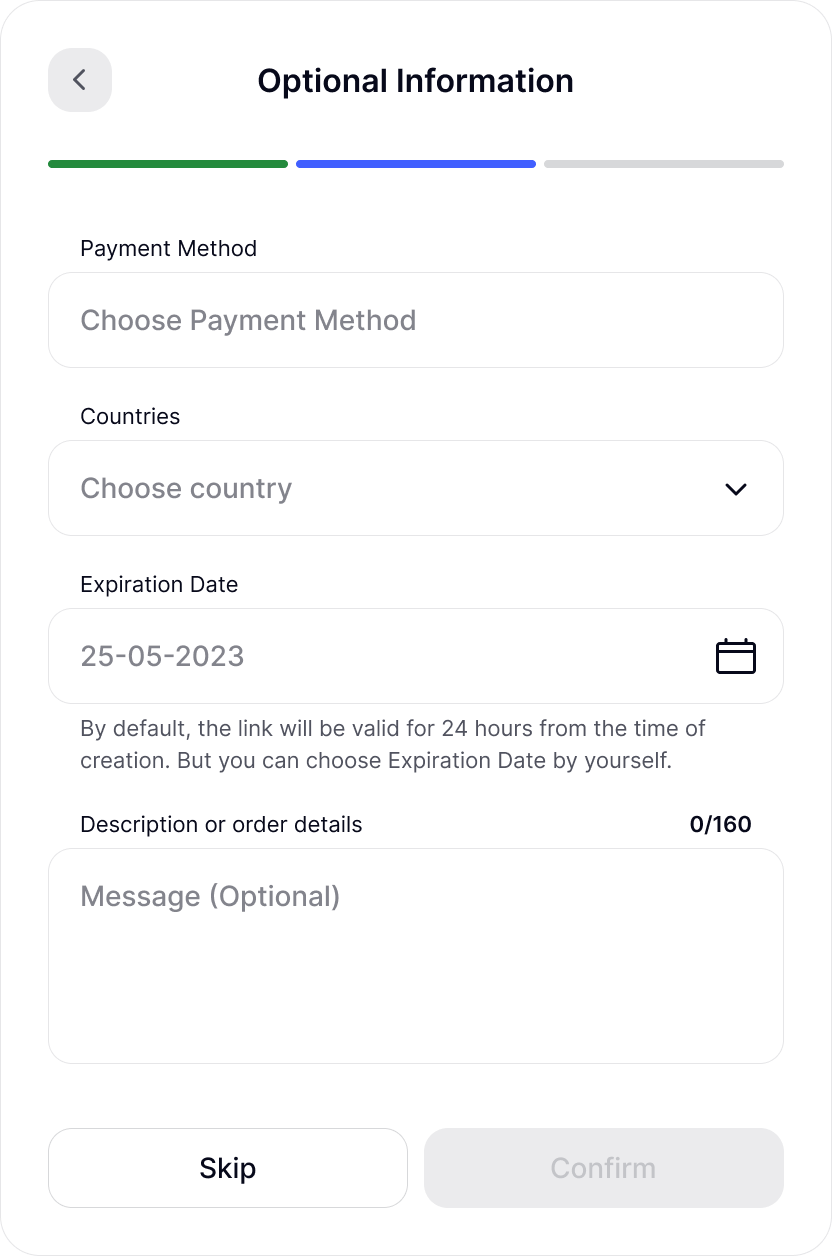
Optional Fields
- Payment Method (e.g., Card, Alipay)
- Country (targets where the link is valid)
- Expiration Date (default = 24 h; max = 30 days)
- Description/Order Details (up to 160 characters)
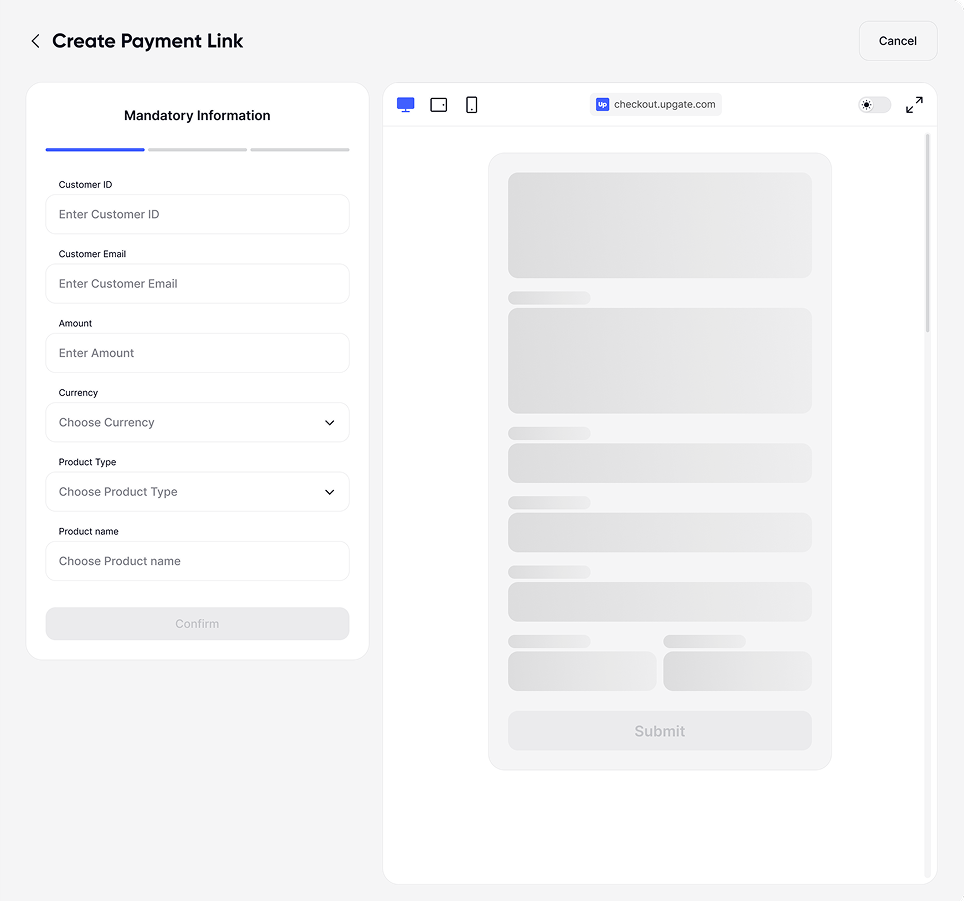
Live Preview
As soon as merchant enters mandatory data, a blurred mock of the hosted payment page appears on the right
Once merchant click Confirm, the preview fully reveals exactly what the end customer will see (product details, total, and payment methods)
Link management
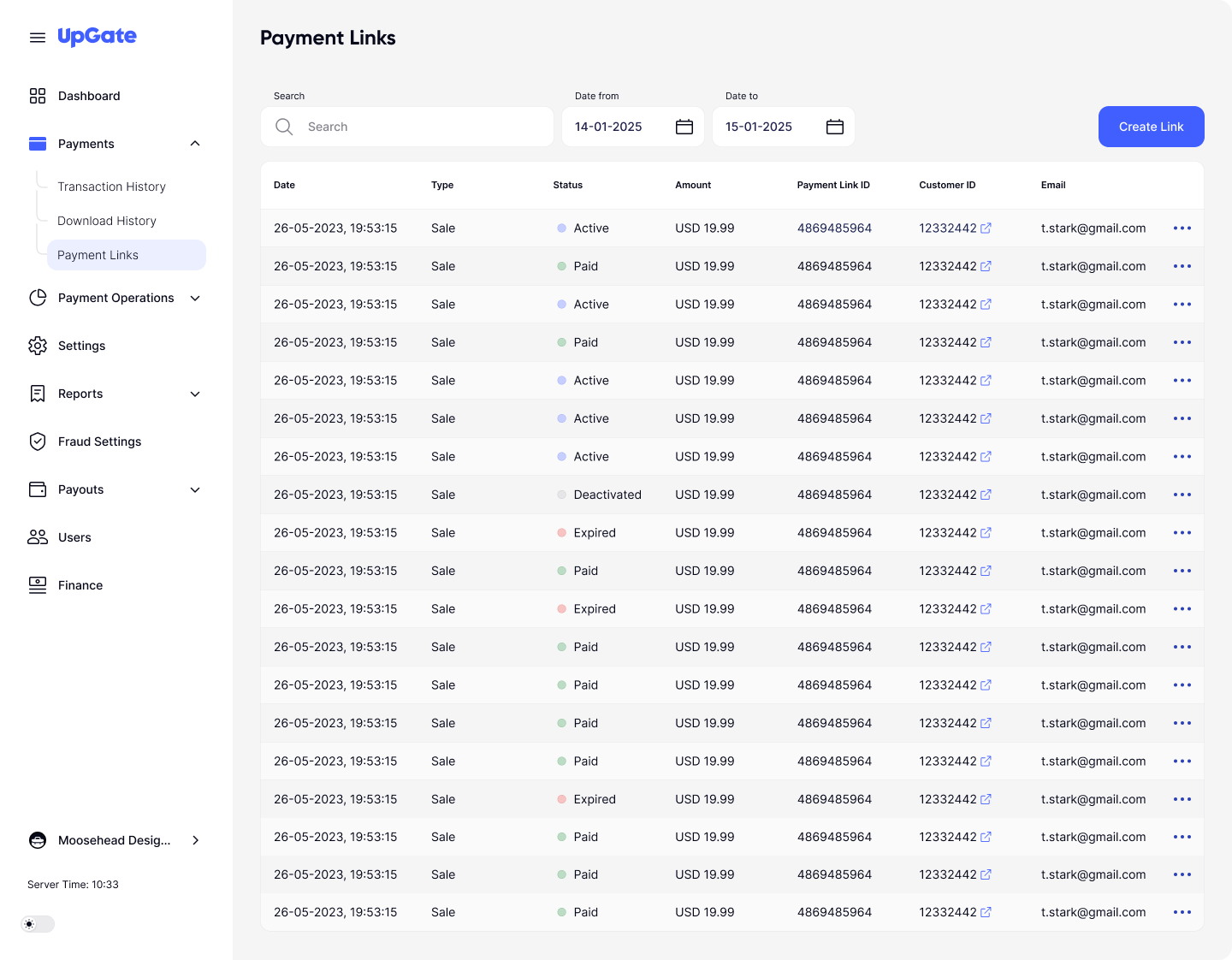
All links display in a searchable, sortable table allowing easy sharing and deactivation
Columns
- Date (when link was created)
- Type ("Sale")
- Status (Active, Paid, Expired, Deactivated)
- Amount (displayed in currency)
- Payment Link ID (clickable; ties into transaction history)
- Customer ID
Actions Menu
- Copy Link: instantly copies the URL to clipboard for external sharing
- Deactivate: changes status to Deactivated, preventing further payments
Tracking & Reporting
Merchants see real-time status changes and can tie each link to its transaction data. By default, the link expires 24 hours after creation. Merchants may set up to 30 days maximum
Link ID
Every payment generated by a link records a payment_link_id in the transaction history
active
Link ready for payment
paid
Customer completed checkout
expired
Past its expiration date (automatically set)
deactivated
Manually voided by merchant